The ChiroScribe workspace
From the first recording to the next step in care.
Create the draft, review the evidence, and keep the patient story connected. ChiroScribe brings chiropractic documentation and supporting workflows into one workspace.
21 days · No credit card required
01 / Record & draft
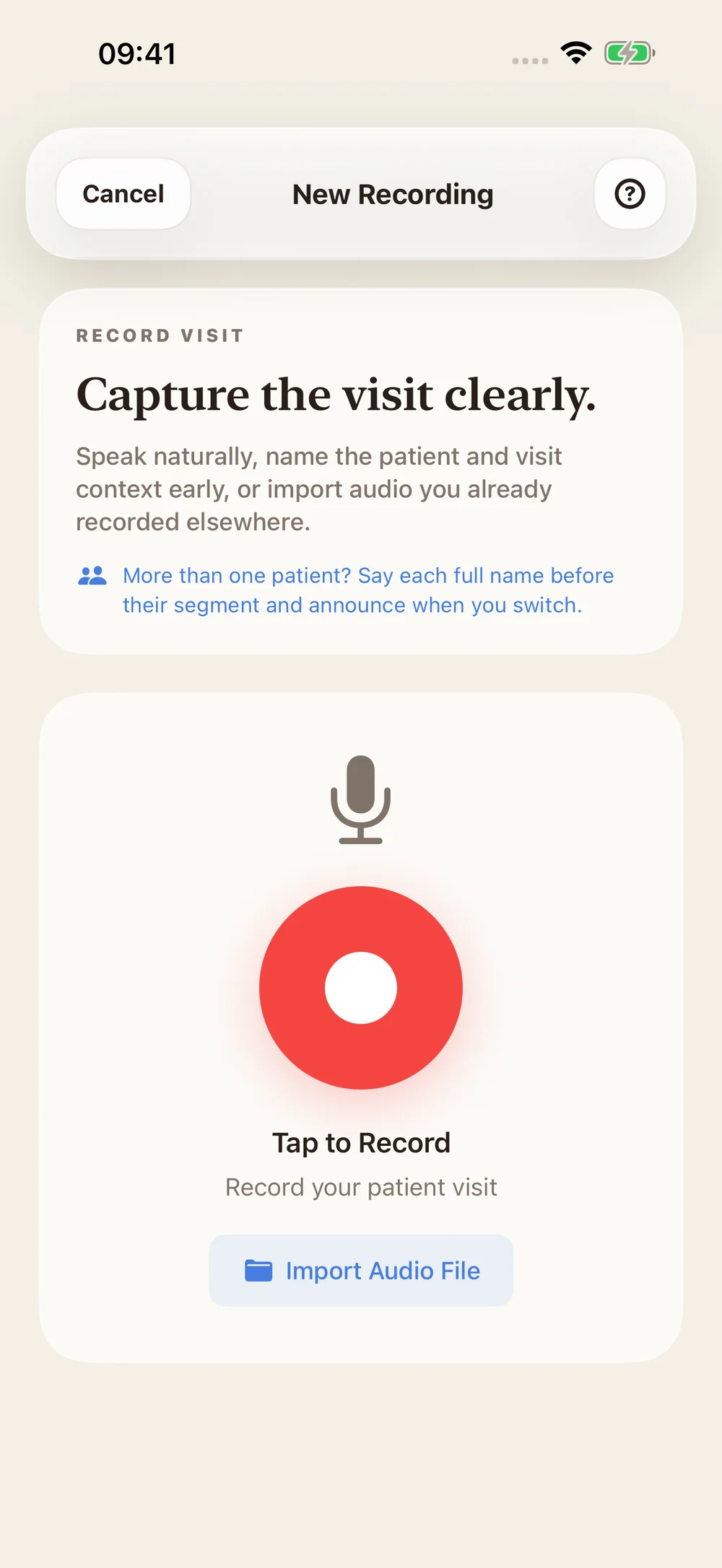
Your visit, structured into a SOAP draft.
Record clinical observations or import an audio file. ChiroScribe transcribes the source and organizes a draft into Subjective, Objective, Assessment, and Plan.
- Record from the web, iPhone, iPad, or Apple Watch.
- Review patient assignment and visit details before finalizing.
- For recordings covering multiple patients, review detected transitions and split into the appropriate visits.
02 / Provider review
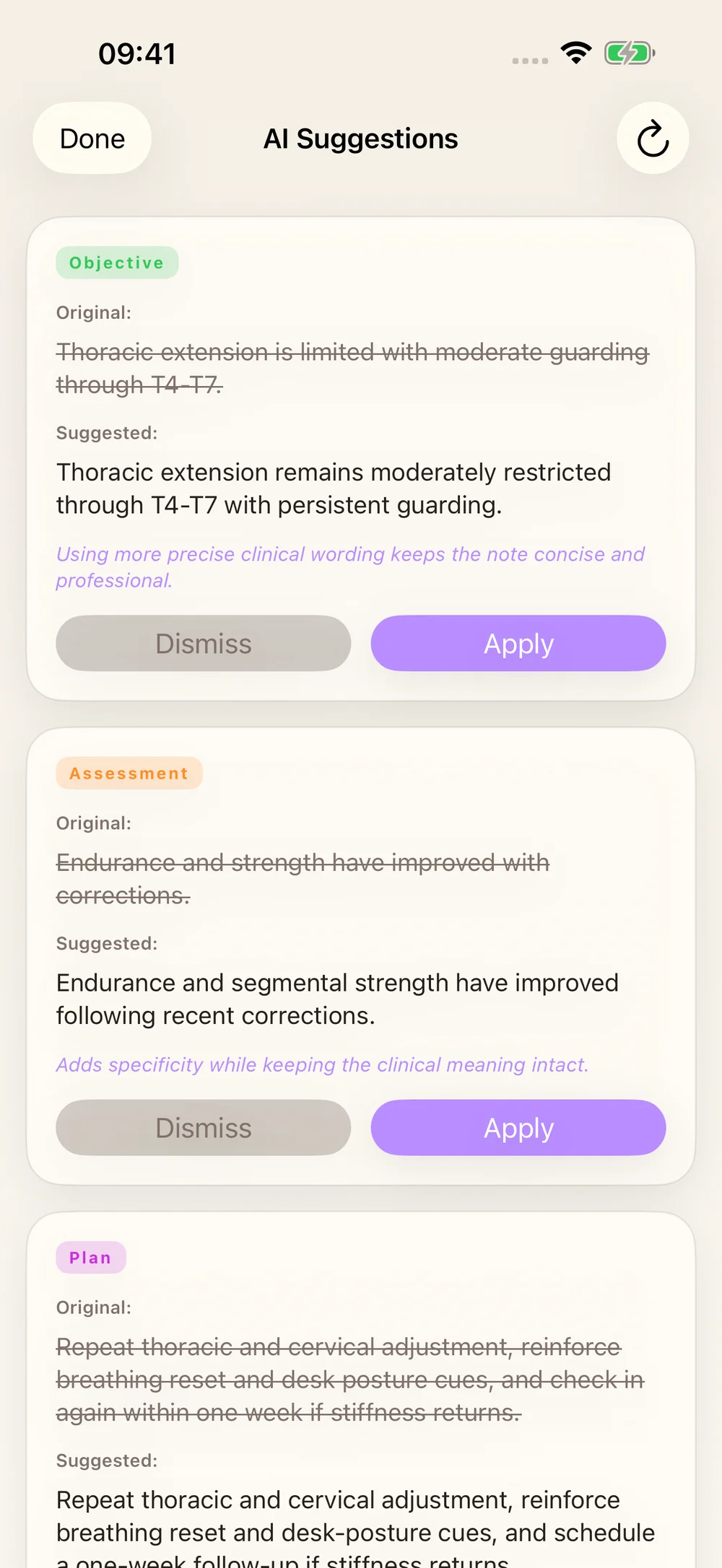
AI suggests. You decide.
Compare proposed edits with the original wording. Apply useful suggestions, dismiss others, and edit the note directly.
- Choose terminology, completeness, writing-style, and billing-support proofread checks.
- Keep review status visible in the note queue.
- Review treatment-plan drafts and suggested billing codes against the documented care.
03 / Writing style & learning
A consistent structure. A voice that feels like yours.
Templates set the structure for Daily, New Patient, and Re-Exam notes. Writing Style sets terminology, length, tone, and instructions.
- Eligible edits can inform supported style-learning workflows.
- Use reviewed, de-identified examples in profile calibration.
- Preview and review a calibration profile before activating it.
Learning adapts documentation style. It does not establish new clinical facts or guarantee a particular improvement after a fixed number of notes.
04 / Imaging & studies
Bring images into the chart before the first SOAP note.
Upload X-rays, MRI images, or clinical studies. Choose a patient or create a chart during intake, then track analysis and review the findings.
- DICOM ingestion preserves supported metadata; exam organization helps keep related evidence together.
- Correct & Re-read lets you compare a proposed revision with the current analysis.
- Confirm or amend individual findings, then preview their addition to a selected SOAP draft.
05 / PI case workflow
A case needs more than a stack of notes.
Keep the injury details, case status, work status, and claim contacts together. PI evidence checks bring documentation gaps into view, while the narrative evidence timeline lets you return to the source.
- Review missing mechanism, prior history, work status, care-gap explanations, and outcome-measure documentation.
- Inspect case details, reviewed visits, imaging, and outcomes by date and source.
- Prepare reports with the relevant evidence and provider review.
06 / Reports & patient context
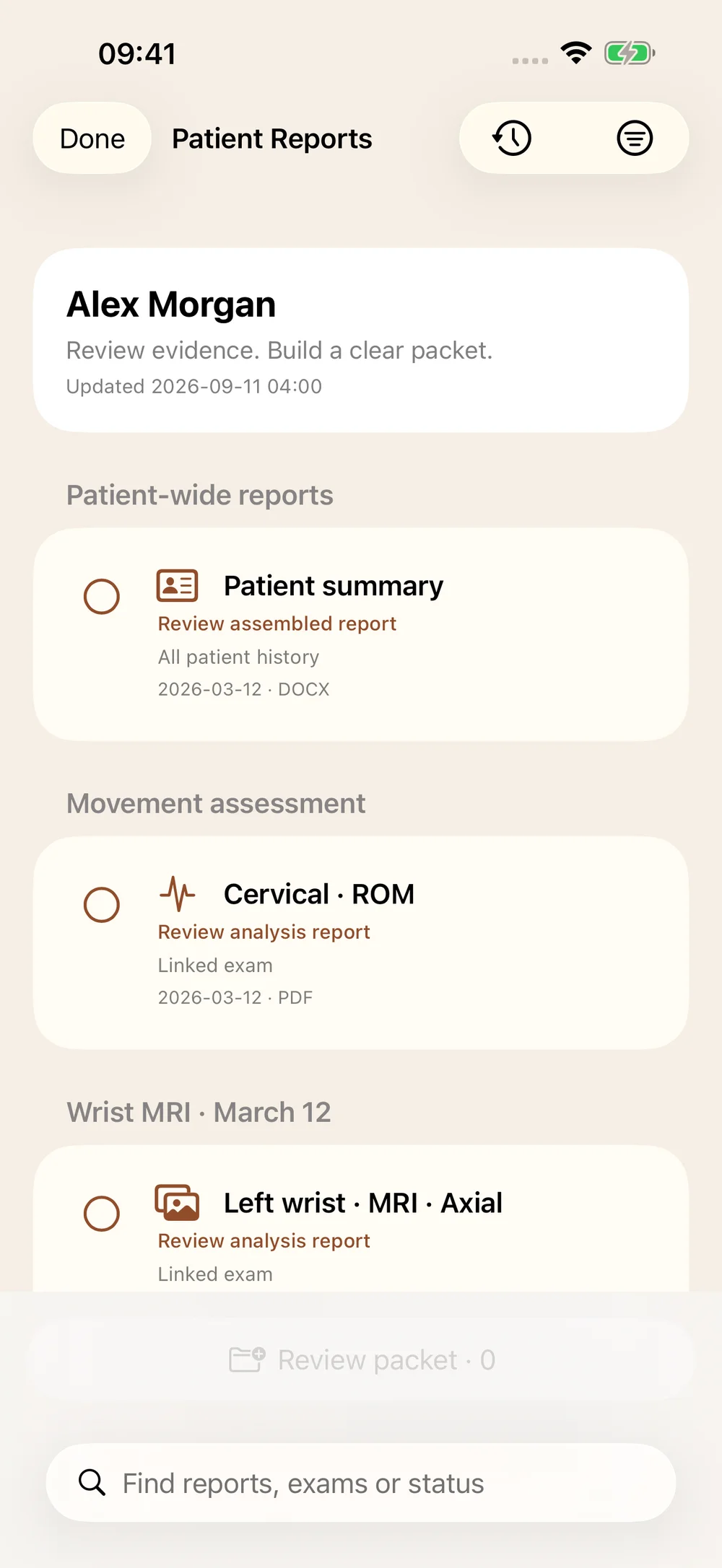
Find the record. Prepare the handoff.
Patient summaries, imaging reports, insurance documentation, and billing support stay close to the chart. Review the document and choose an available export format.
- Open visits, imaging, and reports from the patient workspace.
- Review treatment goals and patient insights before the next visit.
- Prepare standard or attorney imaging narratives for the supported modality.
Formats and review requirements vary by report. Source references and relevant uncertainty remain part of the clinical record.
07 / Scheduling & billing support
Keep the next action within reach.
Manage your schedule and follow-up alongside documentation. Prepare billing paperwork from documented services and review the suggested codes.
- Review day, week, and month scheduling context.
- Use booking, availability, waitlist, and reminder workflows.
- Review CPT and ICD-10 suggestions before exporting a superbill.
A closer look
Questions, answered.
Does ChiroScribe replace my existing EHR?
ChiroScribe can work alongside your existing EHR. Review the Works With guides for export and coexistence workflows; integrations vary by system.
Can I use imaging without a SOAP note?
Yes. You can upload imaging to a patient chart before creating a visit note. Adding reviewed findings to a SOAP draft is a separate, explicit action.
Are the screenshots the released app?
The native screenshots show the latest interface preview with synthetic patient data. App Store availability may differ by version.
Where can I check what is included?
The Pricing page lists plan inclusions. Review Security and HIPAA for safeguards and BAA information, or book a demo for your practice workflow.